

.jpg)


Edgar Gonzalez designs lighting for the moments people remember: concerts, weddings, private events, corporate productions, movie shoots and music videos.
Based in Los Angeles, he has spent the past decade building lighting designs that have to work creatively and technically. Some jobs take months of planning. Others need to be loaded in, programmed and ready in a day. In both cases, his workspace has to help him move quickly between the design, the room, the console and the show.
“I am a lighting designer. I'm based out of Los Angeles. I've been doing it for over 10 years,” he says. “I'm in the field of doing lighting designs for concerts, event spaces, and corporate client events. I've done commercial shoots, music videos, and a little bit of everything in between.”
For Edgar, lighting design begins with understanding the event space and what needs to happen inside it.
“My job is to put a lighting design together, whether it's for a corporate client, or a major event, I have to plan and know exactly what's going to happen within the event space, and then put my touch on it and design the lighting from the ground up,” he says.
Finding a way into lighting
Before he was designing lighting, Edgar was working as a full time DJ. As DJing became more software-driven, he started to see the market change.
“I used to DJ professionally years ago. The market started to get really saturated when DJ’ing went digital. This pivot in the industry brought a lot of attention to the craft and everyone started doing it.”
This shift made him look for another way to build a creative career around live events. Coincidentally enough, the light at the end of the tunnel of that career happened to be a light show at a lighting manufacturer during an open house event and became the turning point.
“I went to a lighting manufacturer’s open house event and saw a light show and was blown away by the presentation. I got inspired from it because I said to myself, okay, this is great and I can put my own touch on lighting and create amazing experiences with it. There might be a lot of people who can operate a lighting console, but designing and putting my personal touch on a show or project separates me creatively. It's really dependent on the person’s creativity.”
“I was able to create a unique approach, sell that, and start a business based off of my ideas.”
That idea still sits behind how he works and what makes his designs stand out from others.
Planning the show before arriving on site
A lot of Edgar’s work starts well before the project date and before he is on-site in front of a lighting console.
“My creative design process involves many tools. It starts in the office designing and putting ideas in a 3D environment using a software called Capture. Think of it like AutoCAD, but the software that I use strictly concentrates on lighting design.”
The software helps him build the project, event space, or stage, place fixtures, plan the look of the show and test ideas all in a 3D world before the project gets finalized and approved for installation.
Edgar can also network his lighting console into the software and control lighting in the 3D environment. That gives him a way to pre-program parts of the show before he arrives on-site.
“I can tie the lighting console into the computer and control lighting in a 3D world. This alone saves time by not having to program on-site and being able to get work done from my office.”
For shows that rely on time-code, this preparation is a big part of the workflow.
“A lot of the shows that I do use time-code, which is a format used in professional environments that keeps different systems in sequence. Having the ability to prepare and do all this from the office helps tremendously in the preparation of a show. Once I’m on-site, I go through the pre-programming and make sure everything aligns from the 3D world into the real world.”
The tools behind the workflow
In live event lighting, the lighting console is the center of the setup. Edgar is well versed in all industry standard lighting consoles, including his own custom ONYX lighting console.
“In my field, there are multiple options for lighting control that everyone uses. For live events/concerts you typically see the GrandMA. This is what you see at all the concert venues, all the big shows, you know, Super Bowls, or any big productions, there's always a GrandMA lighting console.”
During COVID, when live events stopped, Edgar used the time to broaden his skill set. He learned other systems, including EOS, which is commonly used in theatre and Obsidian Control’s ONYX, which is his current lighting control system.
“What I like doing is opening my skill set, not only knowing the industry standard GrandMA system, but opening up and learning other lighting systems. That mindset has helped me move across different types of projects and productions”
That mindset proved to be successful during COVID times, where there wasn't work in the live entertainment industry because that industry shut down completely and there weren't any events, so Edgar manage to implement his skillsets in other areas like lighting integration projects when most work revolved around designing around different systems and venue upgrades while the world was shut down.
“I’m always trying to expand my skill set. This gives me the ability to shift during slow seasons and move a skill to a different part of my industry to maintain work consistency.”
How Edgar and Espresso Displays come together
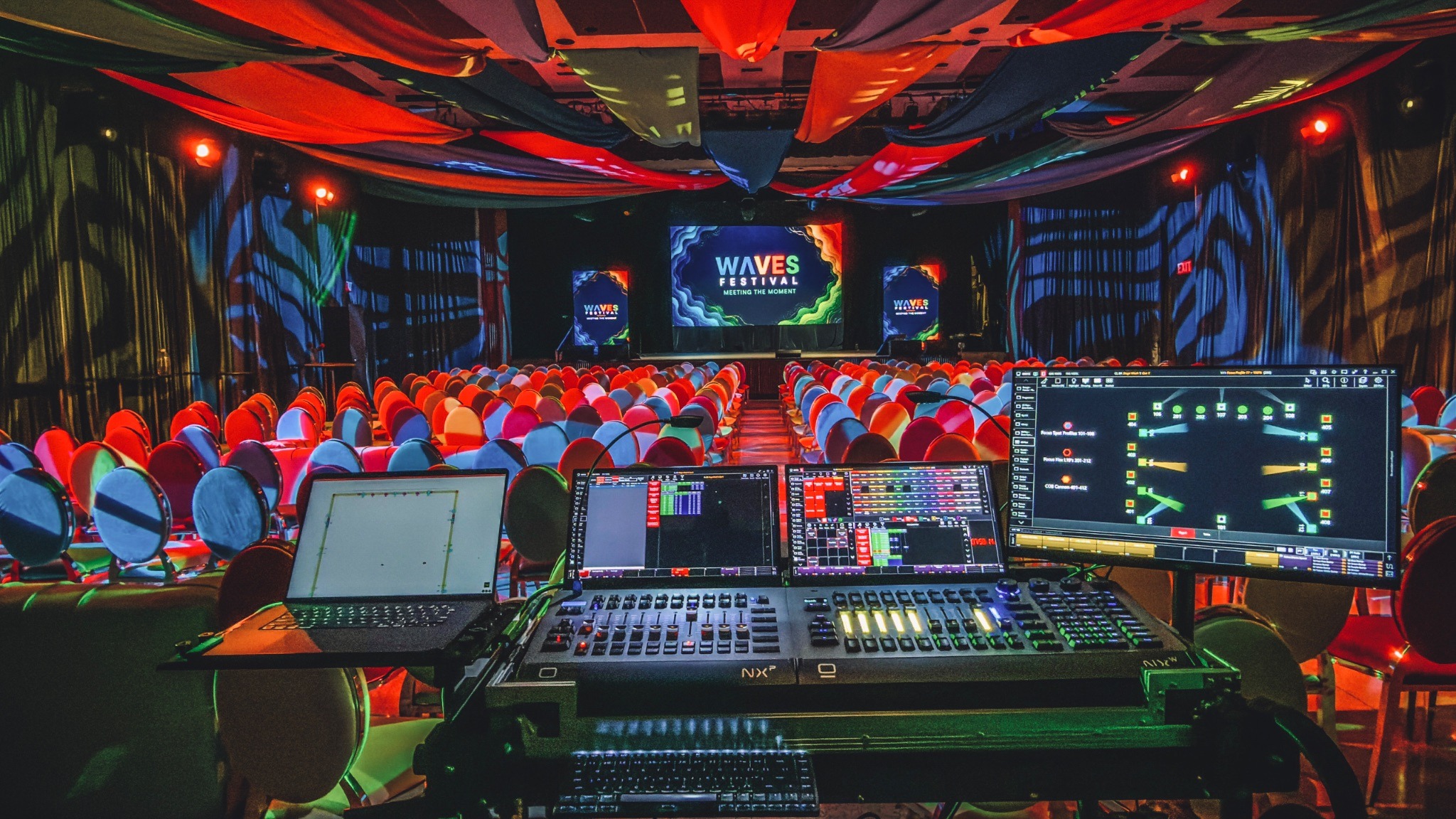
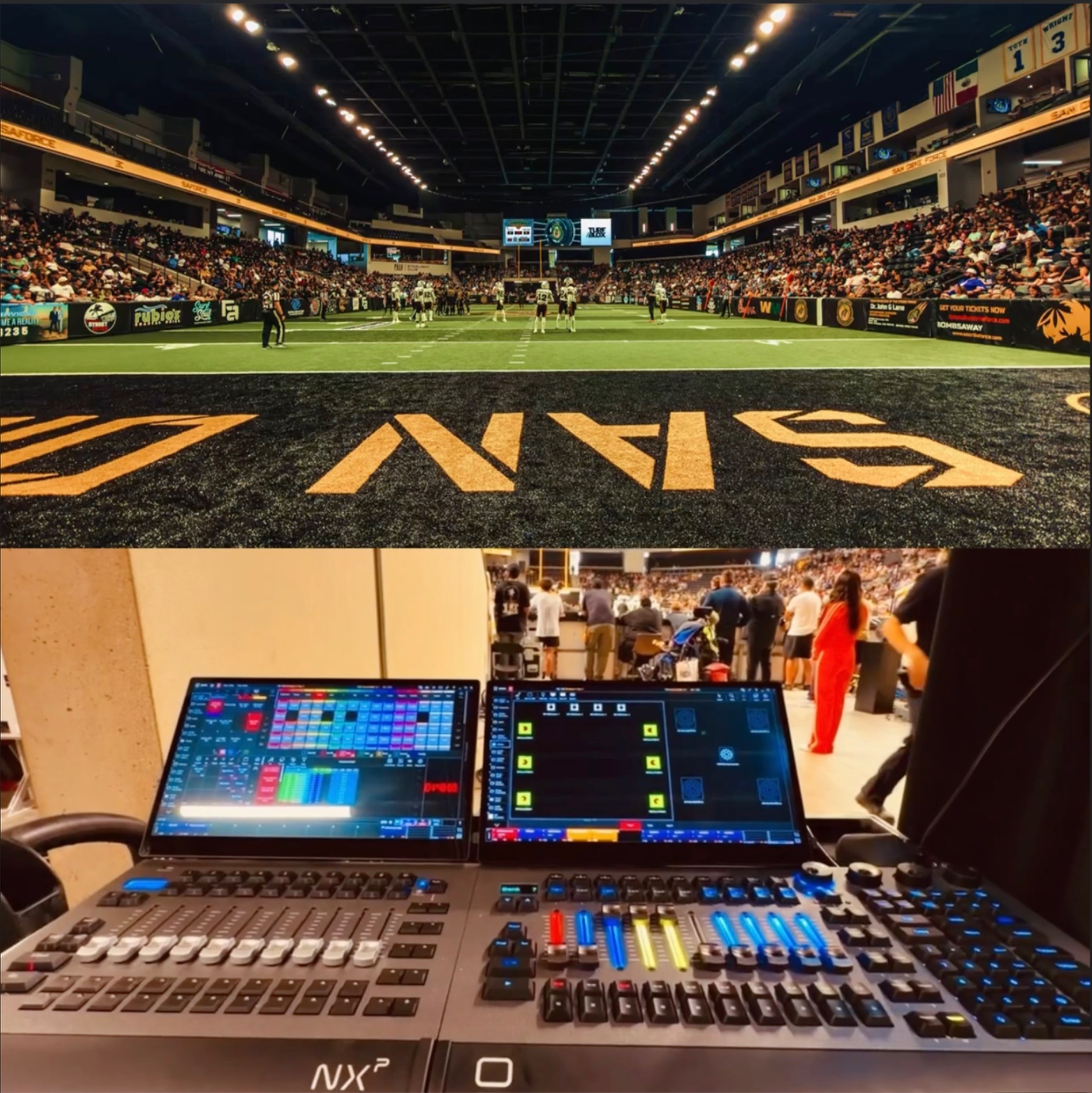
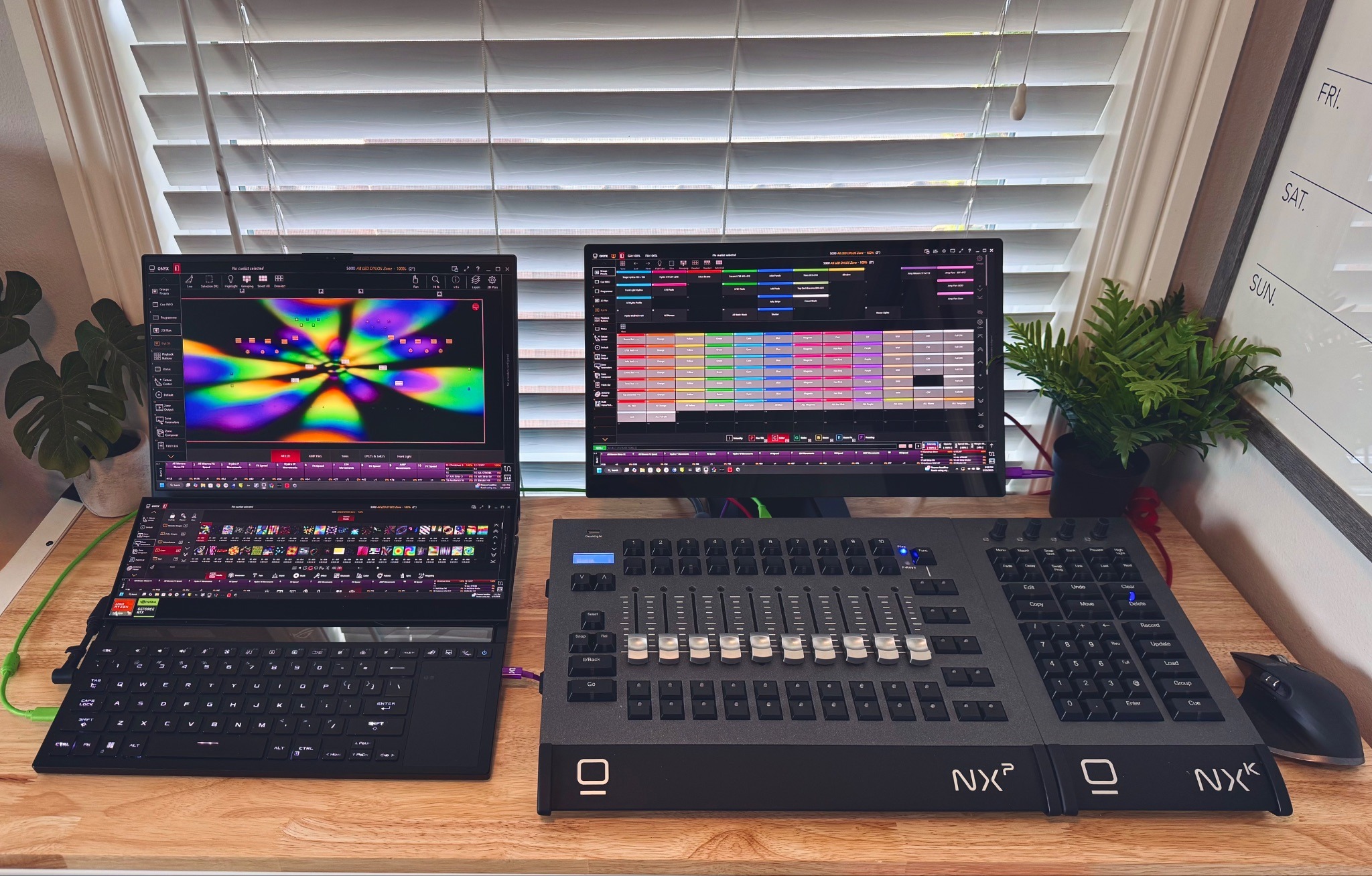
When Edgar is running a show, he uses multiple displays for control. Each screen has a clear role.
“The more screens I have, the better, because the more information that I can fit around me, the better. So having extra screens is super important to me.”
For Edgar’s workflow, he uses espresso 15” and 17” Pro displays. Depending on layout, one display can show the layout of the lighting fixtures in the space. This gives him a 2D map of the lighting rig and lets him select fixtures quickly.
“I'll have one screen for my layout, basically a 2D version of where all the lighting fixtures are in the space. So I can easily just look at the 2D map, touch a fixture, and say, "Hey, I need you to do this and then do it in the lighting console.”
Another display is used for fixture parameters.
“This screen will have all my effects, macros, color and position pallets. This helps me adjust things on the fly and have a dedicated screen to do it from.”
A third display is for effects, macros and dimmer controls.
“And the third screen would be like all of the special effects that I have, like macros and dimmer effects and stuff like that.”
The setup is practical. It gives Edgar a way to keep the main parts of the show visible without constantly switching windows or searching for controls during an event.
“I always like to say, I feel like I work for NASA with multiple displays as my command center. It's always fun and I love having the ability to get to what I need as fast as I can. ”
Why brightness and color matter
Edgar had used plenty of portable monitors before finding Espresso Displays. The challenge was finding something that was portable, bright enough for event environments and useful for color work.
“I did go through a lot of portable monitors, but there wasn't anything that was bright enough that was portable and gave me accurate representation of colors.”
In lighting design, color is part of the job. If Edgar is choosing a color on screen, he needs that color to be close enough to what he is creating in the room.
“In my field, making sure that color accuracy comes across the screen is important. Sometimes I'll have a color picker right on screen and I think, hey, I need this specific color, this light to be this color...”
“So the color on screen needs to match. This kind of accuracy is important to me.”
Brightness is just as important. Edgar often works on outdoor productions, where built-in console screens and lower-brightness monitors can be hard to see.
“Being outside, even on the built-in lighting consoles, a lot of these other monitors are just not bright enough. I need something that's very visible. A lot of the productions are outdoors.”
That led him to espresso Displays.
“Having the extra screen brightness was something that I was always looking for (in a portable monitor). And then that's how I came across espresso Displays. A very cool looking display with a great magnetic stand. You know, very sleek, professional looking. I was like, oh, this is it.”
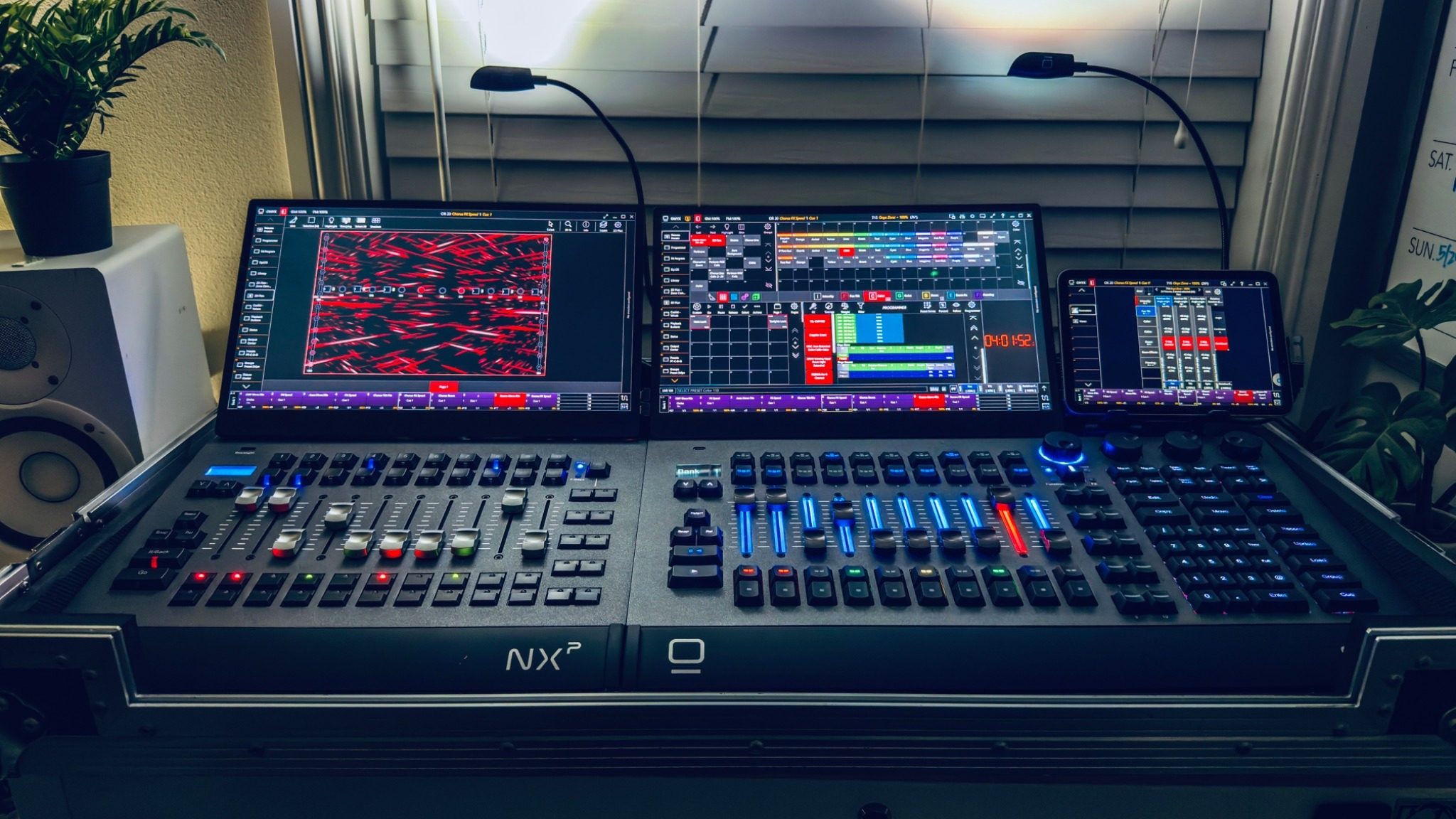
He started with the espresso Pro 17 because of the larger screen size and brightness, then added the Pro 15 models into his setup.
“I started with a Pro 17 because it was big. It had 450 nits of brightness. And then when I saw the other guys, the Pro 15s, which were brighter with 550 nits of brightness. I was like, oh, these are a must addition.”
The displays also fit the way his wider setup looks and works.
“It just matches my layout. It looks like it goes with it.”
Different jobs, different timelines
The length of a project depends on the event. A high-end wedding might involve six months of planning with organisers, planners, production teams and set designers.
“For a wedding, or specifically a high-end wedding, there's a lot of planning beforehand with event organizers, planners. There's different decks that you go through and planning, so that can take up to six months in some cases.
A touring concert can move much faster because the layout is already established and has to be rebuilt efficiently.
“Like in touring, it can be the same layout, everything must be done within a day.”
That range is part of the job.
“So from six months to the same day.”
For Edgar, the preparation and the screen setup help him adapt to both kinds of timelines. The more clearly he can see the design, fixture layout, color controls and show elements, the easier it is to keep moving.
“Having the ability to have my displays be portable gives me the benefit of moving them from location to my hotel room, airport lounge, or anywhere in between and continuing giving me a familiar workflow to keep going.”
Creating the right environment
Edgar’s eye for lighting carries into his own workspace when he is designing from his office. Having the right mood and displays matters.
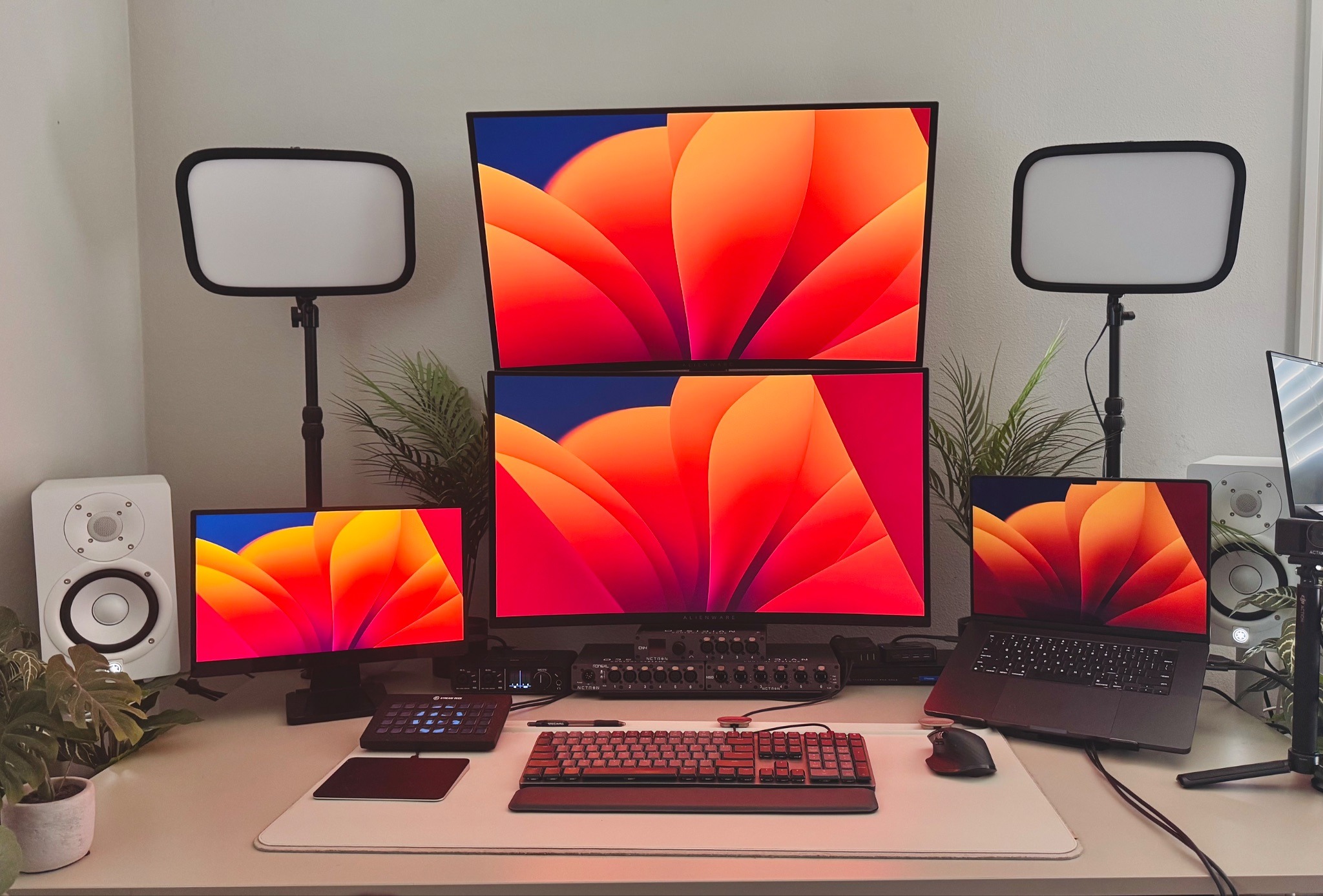
“I set a mood in my office. From personal lighting, to having the ability to quickly move Espresso displays around.”
That detail says a lot about the work. Lighting design is technical, but it also depends on taste, feeling and the ability to picture what a room could become and creating in the right mood helps Edgar in all those efforts.
AI, tools and staying sharp
Like many people working in creative and technical fields, Edgar is watching how AI develops. He sees the potential for it to help with speed, but he is also clear that the design still needs to come from the person doing the work.
“AI is interesting because it pushes you. It amazes me for what's capable with it. But in my eye, it also puts me on my toes like, okay, I got to get better at working with it and designing it.”
“It does help us work faster. I haven't implemented it too much into my workflow yet. I'm still finding a way to utilize it more to speed things up a bit.”
The challenge is using new tools in a way that improves the work without removing the craft.
“It’s not about letting AI do my job completely, or getting lazy with it, but how can I use that to maximise lighting design?”
Helping others find their way in
Edgar also makes time for people who are interested in lighting design. He has done trade shows, spoken to students and responded to messages from young people who have seen his work online.
“I love giving advice. I try to donate time to schools. At the end of this month, I'm doing a school where I go and I do a little setup and then talk to kids, try to inspire them.”
The messages can come from anywhere.
“Somtimes, I'll get a random message from somewhere like Russia or some kid in Africa or other part of the world (asking about lighting design). It blows my mind receiving messages from all over the world. ‘Hey, I saw this video on YouTube and I found out you were the designer’ - I love to give advice to future designers.”
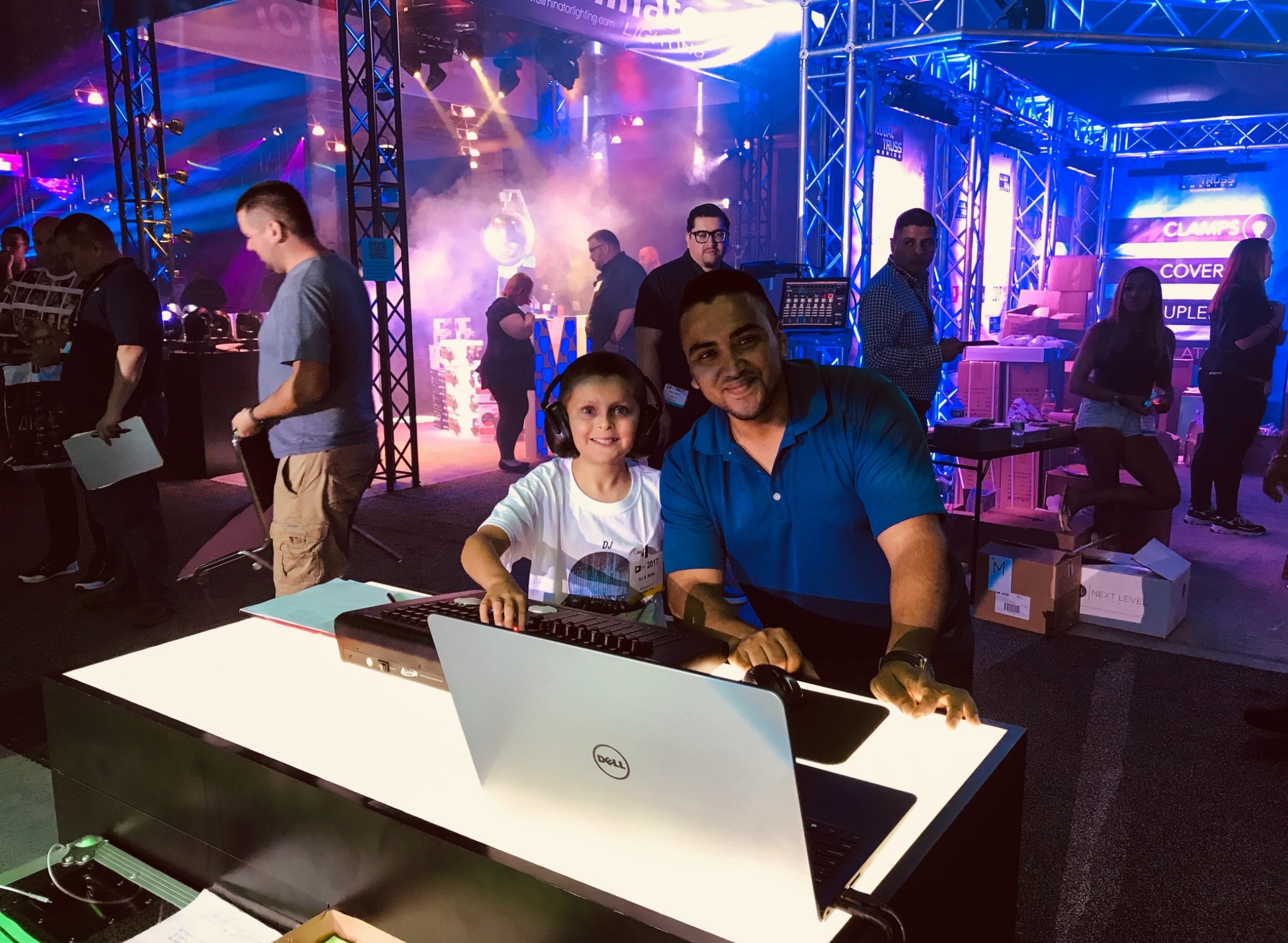
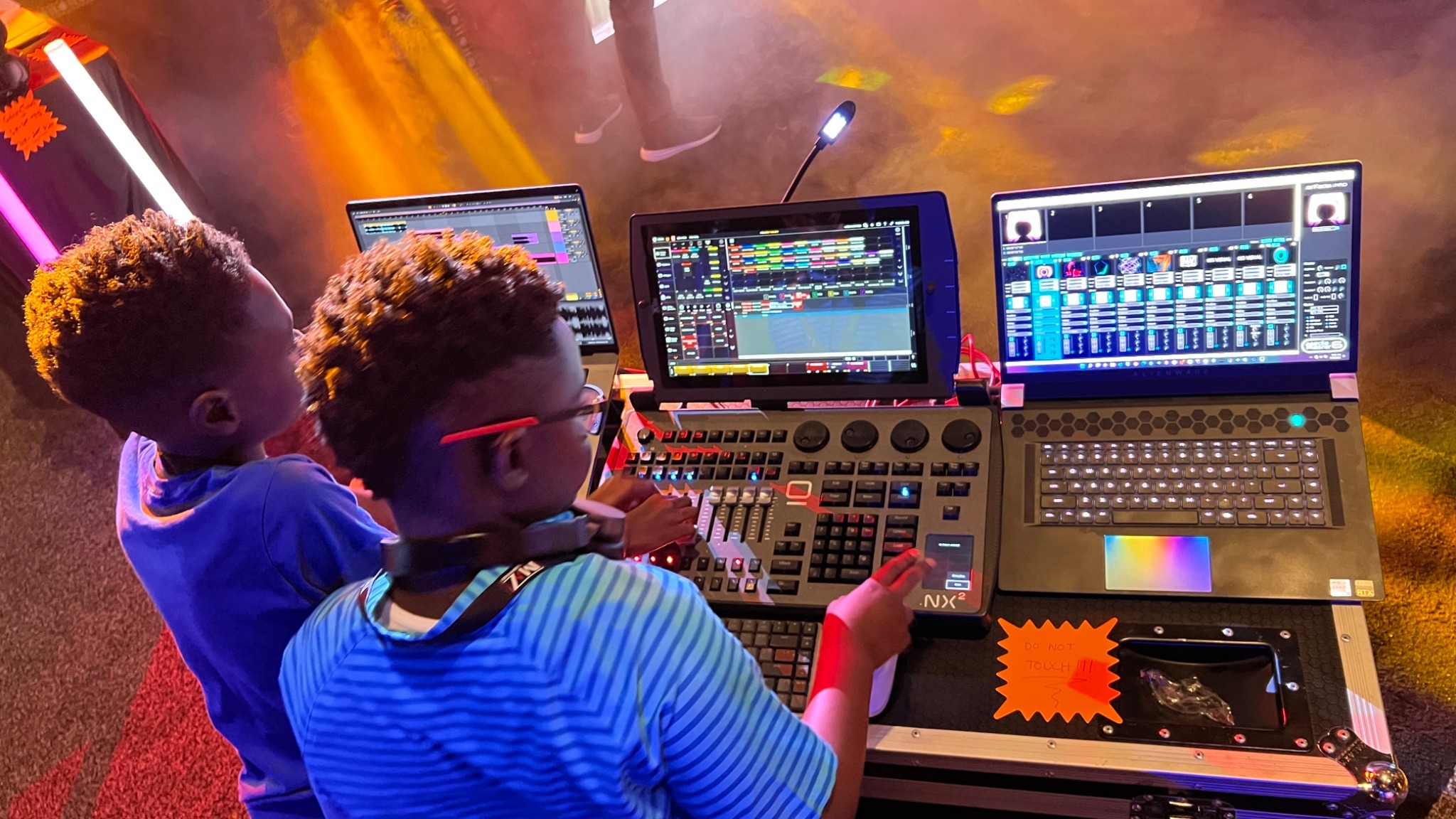
For Edgar, those conversations matter because he remembers the moment that first made lighting design feel possible.
“That's literally what inspired me. I went to one night show at a lighting manufacturer. I was like, wow, this is great. I want to do this!”
What Edgar’s workflow shows
While Edgar’s work is specific to lighting design, there are lessons in how he approaches his setup.
He plans as much as possible before arriving on site. He learns the tools used across different parts of the industry. He gives each screen a clear purpose. He chooses equipment based on the conditions he actually works in, including outdoor visibility, color use and portability.
For anyone building a high-performance workspace, that is a useful way to think. Start with the work, then build the setup around what you need to see, control and access quickly.
For Edgar, espresso Displays have become part of that setup because they solve practical problems in the field.
“Not only just the product, but the support on the back end has been great. So that's why I love using you guys.”
Edgar’s workspace follows the job from the office to the venue. It helps him design, test, program and operate the lighting that shapes the experience in the room. For him, the command center is not a fixed desk. It is something he builds wherever the next show happens.
You can follow Edgar on Instagram at @designsbylighting.
.ai.png)
.png)


